


Baby Tracker - Newborn Log
4.95.01K Reviews
App Specs
- Version
- 6.03
- Updated On
- License
- Free
- Downloads
- 1,000,000+
- Developer
- NIGHP SOFTWARE
- Categories
- Parenting
- Platform
- Android, iOS
Screenshots
 Analysis by AppCompare
Ever tried to remember the last time your baby had a diaper change or a feeding session? Trust me, I’ve been there, and it’s like trying to solve a jigsaw puzzle without the box. That’s where Baby Tracker - Newborn Log comes in. For parents juggling tiredness and a stream of small but important routines, a shared record can be more useful than relying on memory alone.
What I would want from a baby log
My first question with a tracker is not how many things it can record, but whether I can use it quickly when my hands are full. Feeding, sleep and diaper notes matter most when they are easy to enter and easy to check later. A log that takes too much attention can become one more chore, so the best approach is to record only what will genuinely help your household.
This app is a parenting tool from NIGHP SOFTWARE, and its focus is practical: keeping everyday baby-care details together. It is free to get started, is rated for Everyone, and has a 4.9 average from around 69,000 ratings. More than a million installs suggest it has found an audience among families looking for this kind of routine support, though popularity alone cannot tell you whether its setup will suit your home.
Getting Started with Baby Tracker
First things first, let’s talk about the setup. Once you download Baby Tracker - Newborn Log, the app greets you with a simple and intuitive interface. Setting it up is as easy as pie. You just enter some basic info about your little one, and boom, you’re ready to dive into the world of organized parenting.
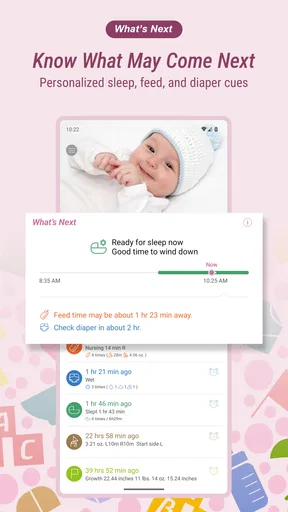
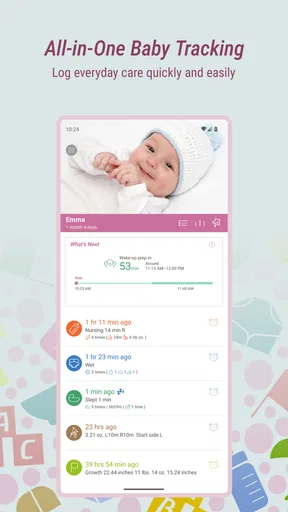
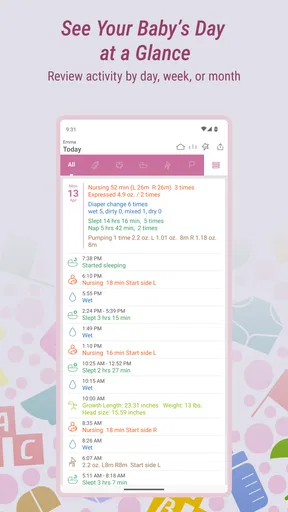
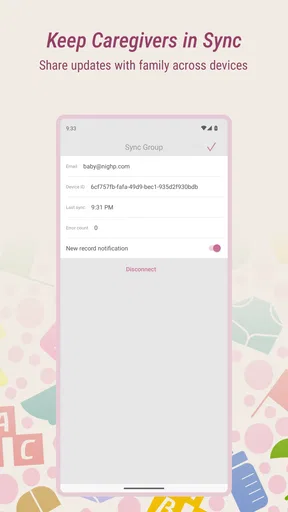
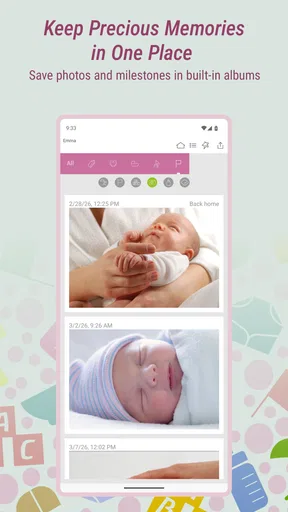
The app’s dashboard is a breeze to navigate. You’ve got everything you need at your fingertips—feeding times, diaper changes, sleep schedules, and even those oh-so-important milestones. It’s like having a virtual scrapbook of your baby’s life. Plus, the app syncs across devices, so you and your partner can stay on the same page. Literally.
When a shared timeline earns its place
The strongest case for using a log is a handoff between caregivers. Picture a morning when one parent has been up with the baby and the other takes over after breakfast. Instead of trying to reconstruct the night from memory, they can check what was recorded and continue from there. That can make a simple question—when was the last feed?—easier to answer without waking or interrupting the person who handled it.
There is also a useful middle ground between tracking everything and tracking nothing. I would begin with the details that affect the next few hours: feeding, diaper changes and sleep. After a week, I’d ask whether seeing those entries has helped me notice a routine or communicate more clearly with another caregiver. If not, I’d stop recording less useful details rather than treating every empty field as unfinished work.
Worth Reading Before You Choose

Baby Panda World Brings Quick Play to Modern Phones, but Its Game Library Feels Busy

ESPN’s Live Game View Makes Following Close Games Easier

QuizzLand Review: A Good Fit for Short Trivia Breaks, Not Every Player

Basketball Stars: Multiplayer Is Fast, but Can It Recover When Matches Go Wrong?

WEBTOON Turns Phone Updates Into a Better Reading Routine

Link to Windows Runs on Shared Habits, Not Social Feeds
Features That Make Life Easier
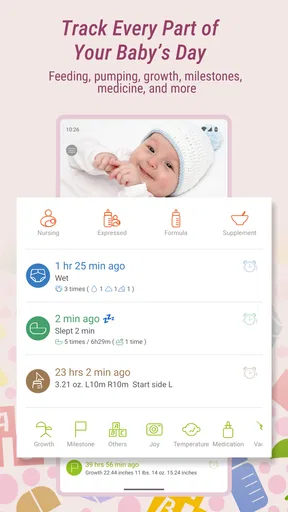
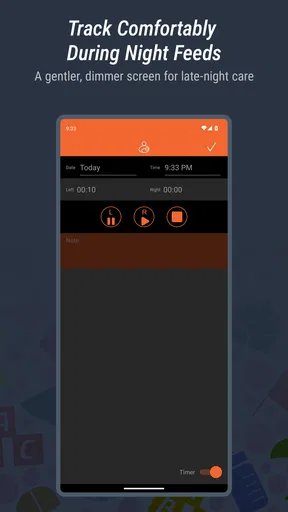
Let’s dig into the goodies. One feature that stands out is the feeding tracker. Whether you’re breastfeeding, bottle-feeding, or pumping, you can log every session with just a tap. No more scribbling notes or trying to remember if it was the left or right side last time. It’s all there, neatly organized.
Then there’s the diaper change log. Honestly, keeping track of this can be a lifesaver, especially during those doctor visits. You can track the type (wet, dirty, or both), time, and even jot down any notes if something seems off. It’s these little details that make a big difference.
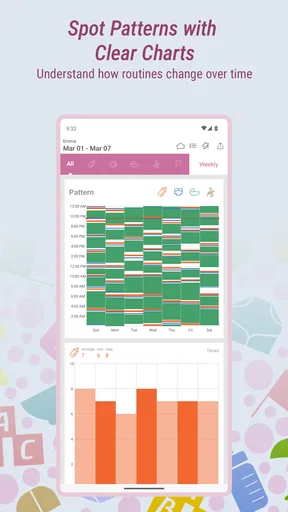
Sleep tracking is another gem. You can easily log when your baby goes down for a nap and wakes up. It’s perfect for spotting patterns and figuring out if that late afternoon crankiness is due to a missed nap. And let’s not forget the growth tracker—it’s so rewarding to see those numbers climb as your baby grows.
Small habits that make the log more useful
A practical tip is to enter an event as soon as it happens, or ask the caregiver who handled it to do so. Backfilling a whole day from memory can blur times and details, which defeats the point of keeping a reliable timeline. If you are too busy in the moment, a quick note later is still better than trying to make the record look perfect.
For feeding, the value is not simply having a list of sessions. When several adults share care, a record can help the next person know what happened and when, while notes can preserve context that a time alone misses. The same principle applies to diaper entries: a brief, specific observation is more useful than a vague comment, particularly if you later want to describe a change to a clinician. I’d use the app to organize observations, not to diagnose a health concern.
Sleep entries can help you look back at a day when the routine felt unsettled. They may reveal that a nap was shorter or later than usual, but they cannot explain every fussy spell. Babies change quickly, and a tracker is most helpful as a memory aid rather than a rulebook. I would avoid making a schedule rigid just because the screen shows a pattern.
A Few Thoughts on Usability
One thing I appreciate about Baby Tracker is its user-friendly design. The app isn’t cluttered with ads or unnecessary features. Everything is straightforward, making it easy for sleep-deprived parents to use without a hitch.
The app also offers customizable alerts, which is a blessing for keeping up with feeding schedules or medication reminders. You can set it to ping you when it’s time for the next task, leaving you more brainpower for other parenting duties.
Now, while the app is mostly a smooth ride, I did notice that syncing between devices can sometimes take a bit. It’s not a dealbreaker, but it’s worth mentioning. Also, while the free version offers a lot, there are some premium features that require a subscription. If you’re looking for detailed analytics, you might want to consider the upgrade.
How it compares with simpler options
Compared with a paper notebook, an app can make it easier to scan recent entries and keep several kinds of routine in one place. Paper may still be preferable if you want a record that needs no device, or if writing by hand feels quicker during a busy moment. A basic phone note is another low-effort alternative, but it can become harder to sort when feeding, sleep and diaper details accumulate together.
Some parents may prefer a broader family organizer, while others need only a feeding timer or a simple checklist. Those alternatives can be a better fit if you want fewer categories or already have a system everyone in the household uses. This tracker makes most sense when you want a dedicated baby-care record rather than a general calendar, and when more than one routine is worth keeping together.
What to weigh before switching
Starting a new log is easiest when you choose a clear starting point, such as the beginning of a day, rather than trying to recreate weeks of past events. The useful benefit is usually forward-looking: caregivers can share a consistent record from now on. If you already keep notes elsewhere, decide which details you actually consult before transferring anything. Re-entering every old observation can take time without improving today’s routine.
It is also worth agreeing with anyone who shares care on what counts as a useful entry. One person might record every nap while another only notes longer sleep periods. A shared tool works best when the household has a lightweight convention, not when everyone is expected to document in exactly the same level of detail. If syncing is slow at a particular moment, avoid entering the same event repeatedly; a duplicate can be more confusing than a short delay.
The app is free, with in-app purchases listed at $4.99 per item. I would try the regular workflow first and only consider paying if a specific paid feature solves a real need. The current version is 5.06, and it requires Android 7.0 or later. Those details matter if you are deciding whether an older device can run it or whether to keep using a paper log instead.
Who is likely to find it useful?
I’d recommend trying it if you are caring for a newborn, splitting shifts with a partner or relative, or often find yourself unsure about the timing of the last feed or change. It can also help when you want to arrive at a routine appointment with observations gathered in one place rather than scattered across messages and scraps of paper. Its usefulness depends on making brief entries consistently, not on tracking every moment of a baby’s day.
On the other hand, it may not be the right choice if logging itself makes you anxious, if you want a highly structured schedule to dictate what happens next, or if your household already has a dependable method that everyone checks. Parents who need medical guidance should speak with a qualified professional; a tracker can preserve information for that conversation, but it is not a substitute for advice or care.
Final Verdict
In a nutshell, Baby Tracker - Newborn Log is a useful option for new parents who want one place to keep feeding, diaper and sleep notes. I like the idea of using it as a shared memory rather than another standard to meet: the record should make handoffs and reflection easier, not add pressure. It is an especially sensible fit when two or more caregivers need to stay aligned, while a notebook or simpler note may suit a parent who wants less structure.
Before committing to a routine, I’d try logging only the events that answer a real question in your day. Check whether the dashboard helps you find that information quickly, whether alerts feel helpful rather than intrusive, and whether the occasional sync delay affects your household. If the basic version covers what you need, there is no reason to upgrade just for the sake of it. With a modest, consistent approach, this parenting app can turn scattered recollections into a clearer record without pretending to run the whole day for you.
Pros
- Easy-to-use interface for quick logging.
- Supports multiple profiles for twins.
- Customizable reminders for feedings.
- Tracks growth with charts and data.
- Syncs across devices seamlessly.
Cons
- Limited free features without subscription.
- Ads can be intrusive in the free version.
- Some users report sync delays.
- No offline mode for data entry.
- Lacks integration with some wearables.
FAQs for Baby Tracker - Newborn Log
What features does Baby Tracker - Newborn Log offer?
Baby Tracker - Newborn Log provides comprehensive features for new parents, including feeding logs, sleep tracking, diaper changes, and growth charts. The app offers easy-to-use timers for feedings and naps, customizable reminders, and the ability to sync data across multiple devices to ensure both parents can stay updated.
Is Baby Tracker - Newborn Log free to use?
Baby Tracker - Newborn Log offers a free version with basic features. However, to access premium features like advanced statistics, ad-free experience, and additional customization options, users might need to purchase a subscription or make in-app purchases. It's advisable to check the app store for the latest pricing details.
Can I use Baby Tracker - Newborn Log on multiple devices?
Yes, Baby Tracker - Newborn Log supports data synchronization across multiple devices. This feature is particularly useful for parents or caregivers who need to share information about the newborn seamlessly. Ensure you create an account or use the same login credentials on all devices to keep the data synced.
How secure is the data I input into Baby Tracker - Newborn Log?
The developers of Baby Tracker - Newborn Log prioritize user privacy and data security. The app typically uses encryption to protect data and complies with standard data protection regulations. However, users should review the app's privacy policy to understand specific security measures and data usage terms.
Does Baby Tracker - Newborn Log support multiple children?
Yes, the app allows tracking for multiple children, making it ideal for parents of twins or multiple young kids. You can easily switch between profiles to log and monitor each child's activities separately, ensuring personalized tracking and management for each one.


